Key takeaways
- Calculate sample-plane camera width and height from the retained pixels and their verified scale.
- Keep nominal sensor/magnification predictions separate from calibration.
- Eyepiece field diameter needs field number and applicable optical factors, not objective magnification alone.
- Record crop, binning, coordinate mapping and usable borders before converting FOV into tile travel.
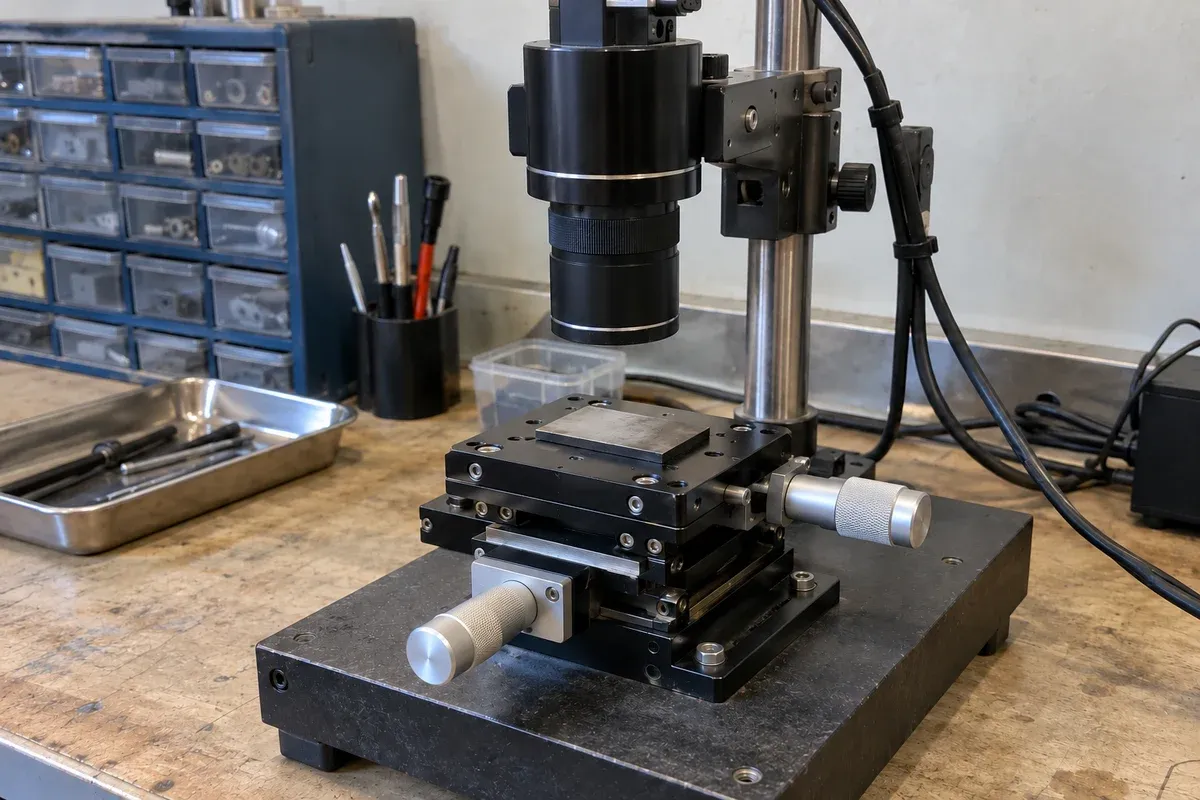
Field of view is the object region represented by an image, not the camera’s pixel count and not a stage’s travel. To calculate it, first identify whether the result concerns a rectangular camera image, a circular eyepiece field or an angle of view. Then name the optical configuration, units and retained image region. A correct calculation helps plan motion; it does not establish optical resolution, microscope compatibility or verified stage accuracy.
Separate microscope support, XY positioning and optical FOV
A microscope mechanical stage adds controlled specimen translation in X and Y to the supporting platform. A fixed/plain support and slide holder can keep a specimen in place without providing that XY drive, as Celestron’s stage guide distinguishes. Holding the specimen and selecting its observation position are separate functions.
Manual designs commonly use two knobs and a rack-and-pinion mechanism; Nikon’s mechanical-stage definition describes that arrangement. Motorized designs can move the sample through software, as Nikon’s stage glossary notes; available commands, feedback and controls depend on the assembled system.
With unchanged optics, retained image region and scale, lateral stage movement selects a different specimen region without enlarging the calculated single-image FOV. A mosaic extends coverage by acquiring multiple positions. Keep holder security, commanded XY travel and optical FOV as separate requirements. This description establishes no microscope fit: confirm the actual mounting interface, holder, height, travel envelope and objective/condenser clearances before selecting hardware.
Define the field in the sample plane
For stage planning, report usable horizontal width W and vertical height H at the sample, usually in millimetres. An eyepiece field diameter D is a different geometrical quantity. A camera may capture only a rectangular part of the objective’s available field, and unusable borders may reduce it further.
Edmund Optics’ imaging fundamentals defines FOV as object coverage and distinguishes it from resolution and working distance. Do not substitute sensor diagonal, a nominal sensor-format name, screen enlargement or angular FOV in degrees for measured sample-plane coverage. Specify which dimensions are meant before converting them into a travel requirement.
Calculate camera FOV from calibrated pixels
Let s_x and s_y be the calibrated sample-plane distances represented by one retained pixel along the image axes, in µm/pixel. For an image containing N_x by N_y pixels and a sufficiently uniform, axis-aligned scale model:
W = N_x s_x / 1000; H = N_y s_y / 1000, in millimetres.
This uses the full pixel-footprint extent. The distance between the first and last pixel centres instead contains N − 1 intervals; do not mix those conventions in a calibration or coverage record. If distortion or a rotated/sheared coordinate mapping matters, a single scale per axis is insufficient to describe every physical location.
For a hypothetical calibration, two reference marks 1,000 µm apart have image-coordinate separation of 500 pixel intervals. The inferred scale in that direction is 1,000 / 500 = 2 µm/pixel. Suppose the corresponding Y calibration also gives 2 µm/pixel. A retained 2,000 × 1,500-pixel image then represents 4.0 × 3.0 mm under that model. These invented observations illustrate the arithmetic; they are not an actual calibration result.
Micro-Manager’s user guide explains pixel calibration as sample-plane distance per camera pixel and requires it for field-based stage movement. That supports recording the scale’s measurement basis, not treating a software entry as proof it is correct.
Predict FOV from sensor size and optical magnification
Before calibration, an optical design can provide a nominal prediction. For effective object-to-sensor magnification M and active sensor dimensions S_x and S_y:
W = S_x / |M|; H = S_y / |M|.
Use matching length units. This is the rearranged sensor-size/magnification relation in Edmund’s reference. For a separate hypothetical camera with an active 6.4 × 4.8 mm sensor and effective magnification 5×, the predicted field is 1.28 × 0.96 mm.
Effective magnification is not necessarily the number printed on one objective. A relay, camera adapter and the intended tube-lens configuration can affect the total. A 10× objective and a genuine 0.5× relay would give a nominal 5× combination only when those factors apply to the actual optical design. Do not multiply an eyepiece’s viewing magnification into a camera calculation indiscriminately. Verify the assembled field at the intended focus and working arrangement.
Calculate an eyepiece field diameter
For the eyepiece/objective arrangement described by Nikon’s MicroscopyU field-diameter tutorial, sample-plane field diameter is
D = FN / (M_obj A),
where FN is the eyepiece field number in millimetres, M_obj is objective magnification and A is any applicable auxiliary magnification factor. With no auxiliary factor, A = 1. Use the factors defined for that instrument rather than assuming every optical path follows one layout.
An illustrative FN 20 eyepiece with a 10× objective gives D = 20 / 10 = 2.0 mm. Adding a 1.25× intermediate factor gives 20 / (10 × 1.25) = 1.6 mm. With the same FN and no intermediate factor, a 40× objective gives 0.5 mm. Thus higher magnification reduces field diameter inversely when the other terms stay fixed. “10×” alone does not establish a universal field diameter.
These circular viewing-field values do not automatically describe the camera image. Objective usable field, camera-port optics, sensor dimensions and crop still govern what is retained.
Establish and challenge the calibration
Use a reference with known specimen-plane distances, such as an appropriate calibrated scale, and the exact objective, relay, camera mode and focus arrangement intended for acquisition. Compare reference distances with differences in image coordinates in both directions. Record units, reference identification, uncertainty and how endpoints or features were located.
Check multiple separations and positions across the usable field. A centre-only scale can miss distortion or an unreliable border. Also establish the mapping from image directions to stage directions, including signs and rotation. Equal pixel scales do not prove that an image column follows positive X.
Micro-Manager’s Pixel Calibrator is an alternative example that infers image scale from stage movement, but explicitly requires a pre-calibrated motorized stage. Commanded displacement alone is not an independent length reference. Avoid circularly using assumed stage travel to “prove” both pixel calibration and that same stage’s positioning accuracy. Software support for the proposed catalogue controller must be verified separately.
Keep crop, binning and resizing visible
Basler documents binning and image ROI as distinct features with model-specific rules. Confirm how the selected camera forms its output before applying a scale.
A crop changes retained coverage. In the 2 µm/pixel example, retaining a 1,600 × 1,200-pixel region gives 3.2 × 2.4 mm, not the original 4 × 3 mm.
Ideal 2 × 2 binning of a monochrome image over the same full sensor instead produces 1,000 × 750 output pixels, each representing 4 µm in this example: the field remains 4 × 3 mm. Record the actual camera mode; do not assume that a reported smaller image is binning rather than a crop. Display resizing changes distance per displayed pixel and can invalidate an analysis scale without changing the original captured area.
After an objective, relay, ROI, binning or image-processing change, confirm which calibration and dimensions apply. Recheck usable borders, not just the nominal full-field arithmetic. Store the image size and scale with the acquired data so later analysis cannot silently substitute another configuration.
Convert the usable field into a motion brief
Assume, only for this planning example, that the verified usable field is 4.0 × 3.0 mm and its image axes align with sample X/Y. For chosen overlaps o_x and o_y, nominal tile-centre steps are p_x = W(1 − o_x) and p_y = H(1 − o_y).
At 20% overlap on each axis, the steps are 3.2 mm in X and 2.4 mm in Y. A three-column, two-row grid covers 4 + 2 × 3.2 = 10.4 mm horizontally and 3 + 1 × 2.4 = 5.4 mm vertically. Its centre-to-centre motion spans only 6.4 × 2.4 mm. Field coverage and centre travel are different requirements.
For a planned region starting at (0, 0), place centres at X = 2.0, 5.2, 8.4 mm and Y = 1.5, 3.9 mm. This specifies six intended fields. It does not establish that 20% is sufficient for stitching or that a catalogue stage can execute the plan. Include separate loading/approach travel, holder/objective clearance, focus and acquisition requirements.
Use the existing mosaic-motion guide to keep planned positions, observed coverage and valid reconstructed images distinct. The final brief should carry the calibration identity, usable field and crop, coordinate mapping, chosen overlap, centre list, required travel and evidence for actual acquired coverage. A complete file count is not that evidence.
Field-of-view calculator
Calculate sample-plane coverage from the inputs below. This does not verify calibration, optical resolution, usable borders or stage/camera compatibility.
Hypothetical values are loaded. They are not measurements or instrument specifications.
Enter valid values, then calculate. No result has been calculated.
Calculated result
- Image footprint width
- mm
- Image footprint height
- mm
- First-to-last pixel-centre span X
- mm
- First-to-last pixel-centre span Y
- mm
- Object-space field diameter
- mm
| Illustrative objective (×) | Calculated diameter (mm) |
|---|
Displayed values are rounded to eight significant digits. A calculation is not a measured accuracy claim.
Questions
What is the field diameter with a 10× objective?
It is not universal. For the stated eyepiece model D = FN/(M_obj A), FN 20 mm and no auxiliary factor give 2.0 mm at 10×. A camera instead needs its active sensor/retained pixels and effective optical scale.
Does higher magnification always reduce FOV proportionally?
The inverse relation applies when the other terms stay fixed. Changes in field number, sensor/ROI, auxiliary optics or usable borders need their own calculation and calibration check.
Does binning change the field of view?
Ideal binning over the same full sensor combines pixels while retaining the same physical coverage, with a larger distance per output pixel. Cropping reduces retained coverage. Check actual model and ROI rules rather than inferring the mode from output dimensions.
Can I calibrate pixel size using stage commands alone?
A command value is not independent length evidence. The cited stage-movement method requires a pre-calibrated stage. An appropriate known-distance reference can support a separate image-scale calibration; retain its uncertainty and configuration.
Is calculated coverage proof that all images are usable?
No. It describes a plan. Confirm acquired extent, focus, registration, overlap and invalid/missing images for the intended analysis; a complete file count alone is insufficient.
Will a generic XY stage fit my microscope?
Neither the term mechanical stage nor these FOV calculations establish compatibility. Supply the microscope model, mounting/interface drawing, holder, permitted stack height, travel and optical clearances; verify controller/software support separately. This guide qualifies no catalogue SKU for a microscope.
Sources & scope
Sources support the specific points described below. General engineering guidance and third-party examples do not establish a catalogue model's performance or suitability.
- Edmund Optics: Imaging Fundamentals
Object-space FOV, sensor size/magnification relation and distinction from resolution/working distance.
Accessed - Micro-Manager Version 2.0 User Guide
Pixel calibration as sample-plane distance per camera pixel; field-based motion and coordinate-transform calibration context.
Accessed - Nikon MicroscopyU: Field of View Diameter
Eyepiece field diameter = field number/objective magnification, including an applicable auxiliary magnification factor.
Accessed - Micro-Manager: Pixel Calibrator Plugin
Stage-movement calibration example explicitly requires a pre-calibrated motorized stage; no catalogue controller support is implied.
Accessed - Basler Product Documentation: Binning
Combining sensor values, output resolution and mode-specific ROI rules; the binning arithmetic is an explicitly idealized example.
Accessed - Basler Product Documentation: Image ROI
ROI selects the transmitted sensor region and interacts with binning; actual camera/model rules must be checked.
Accessed - Celestron: What do I need to know about microscope stages?
Plain fixed platforms versus two-axis mechanical slide holders and manual XY knobs; not evidence of microscope compatibility.
Accessed - Nikon MicroscopyU: Mechanical stage
Typical paired-knob and rack-and-pinion XY mechanism; not universal construction or performance.
Accessed - Nikon MicroscopyU: Stage
Specimen support and examples of motorized movement controlled by software; no controller or feedback capability is transferred.
Accessed
Related engineering resources
Continue reading
Applications & System Design
Translating a microscope image-mosaic task into an XY motion brief
Turn sample area, calibrated field of view and chosen tile overlap into an XY scan brief, then verify coverage and stitching independently.
Application guide · 7 min read ·
Applications & System Design
Defining a rotary indexing sequence for camera-based part inspection
Build a rotary inspection brief around required camera views, part references, indexed stops and acquisition evidence, without assuming inspection yield.
Application guide · 4 min read ·From requirements to a quotation
Review your stage requirements
Share the motion envelope, payload, orientation and acceptance criteria. Request confirmation of the exact configuration before ordering.
Request a Quote