Key takeaways
- Separate locating the fixture from clamping it.
- Review removal and installation paths, not only the final position.
- Define what must be rechecked after a workholder change.
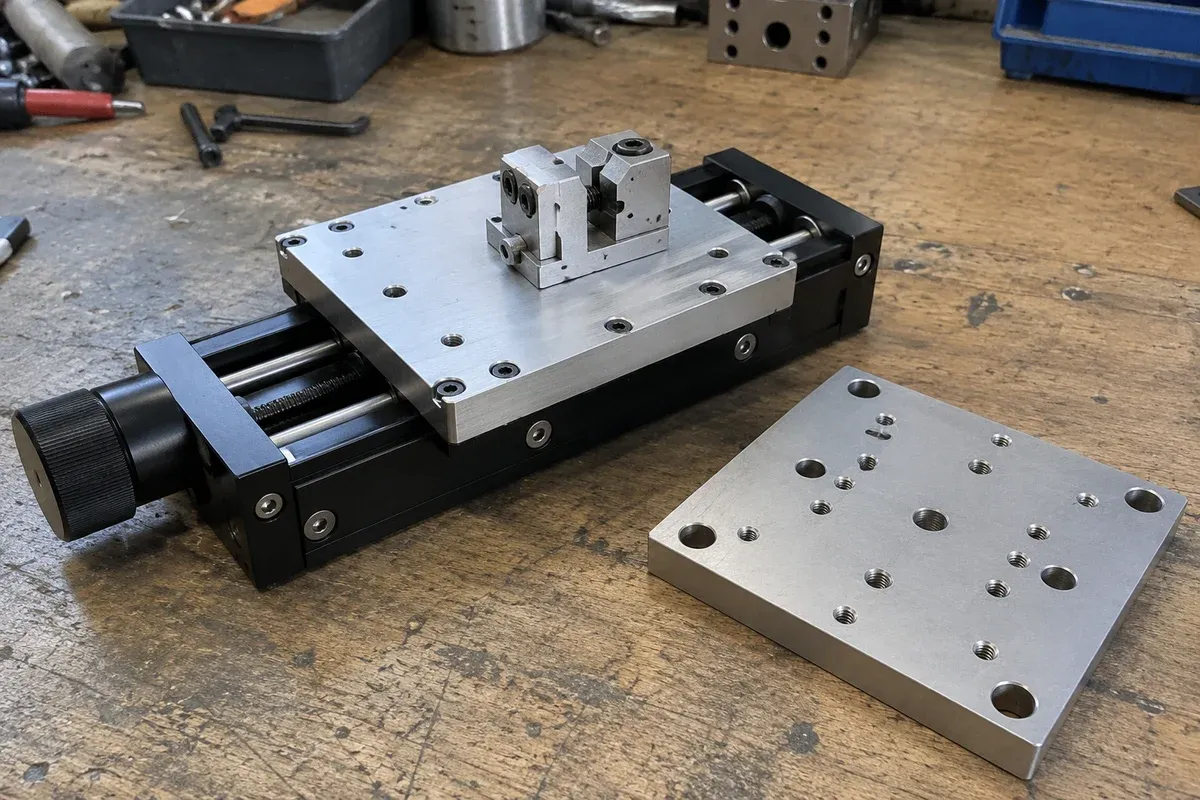
Removable workholding can make a positioning fixture easier to adapt and service. It can also hide critical fasteners or disturb the relationship between the part and the motion system. A good interface review considers how the holder is located, clamped, removed and checked, rather than judging removability from the final CAD image alone.
Assign locating and clamping functions explicitly
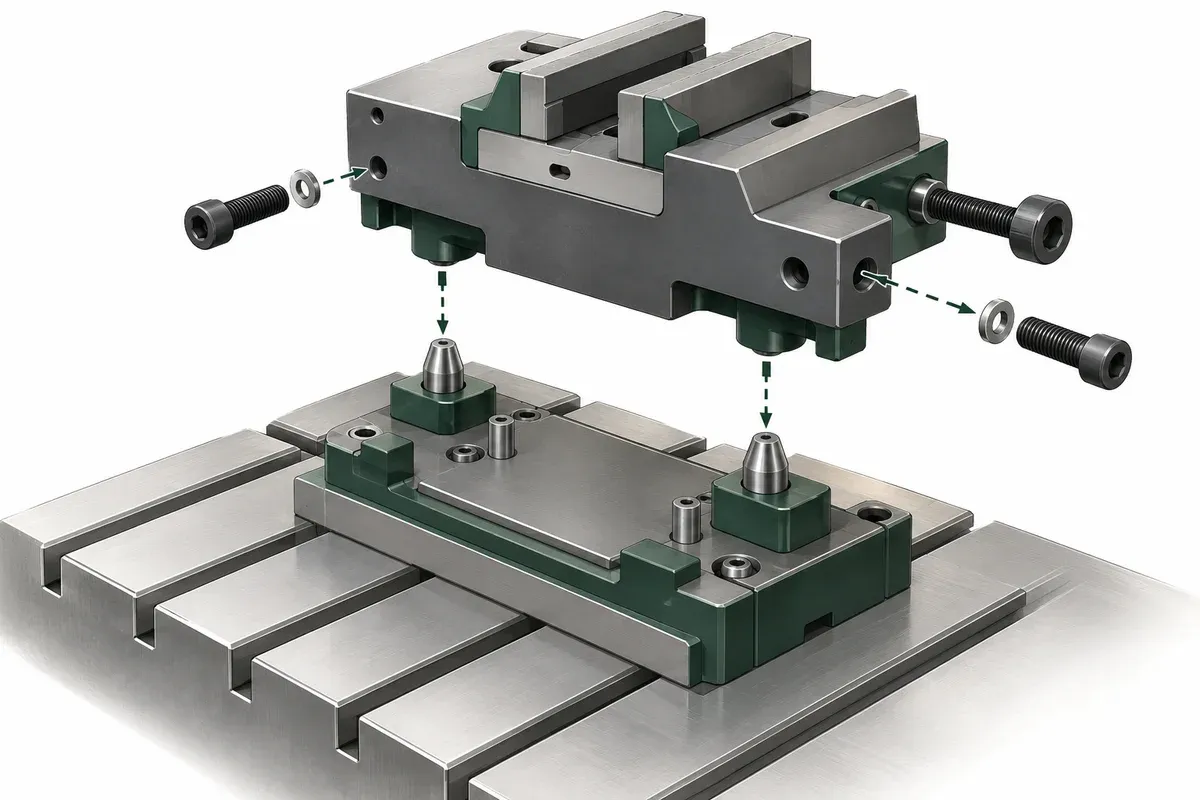
Identify the features that determine the holder’s position relative to the moving platform. Then identify the features that retain it. These functions may be related, but they should not be assumed equivalent. A hole that permits a bolt to pass through does not, by itself, demonstrate a repeatable locating interface.
Show the chosen reference scheme on the workholding drawing. Include the part’s functional point or reference features so that the purpose of the location is clear. Ask what relationship must be preserved after changeover and what evidence would establish that performance. Avoid claiming repeatability for an untested custom nest.
Distinguish routine changeover from stage installation
Decide which fasteners belong to the removable workholder and which secure the stage or its base. Mark them clearly in the assembly documentation. Routine tooling exchange should not inadvertently disturb an interface whose alignment was established during installation.
A miniature-stage mounting example shows that access to some hardware depends on assembly order. The general lesson is to review the sequence. Its particular fastening method is not an installation instruction for the stages or custom fixtures on this site.
Where removal would expose a load-bearing or safety-related interface, the appropriate maintenance and handling procedure must be developed by qualified personnel. This design checklist does not authorize loosening joints on an operating machine.
Model tools, hands and the removed component
Check the tool approach for each changeover fastener, including the space needed to insert and withdraw the tool. Then show where the holder goes as it leaves the platform. A fixture can have accessible screws yet lack a clear extraction path between nearby optics or enclosure panels.
Include service connectors and the workpiece if it remains in the holder during removal. Determine whether services disconnect, remain attached or require a separate handling arrangement. Document assumptions instead of leaving a technician to discover them during the first changeover.
Also review identification and orientation. Two similar nests or a reversible mounting pattern can introduce an avoidable setup error. The design should make the intended configuration understandable and connect it to the relevant drawing and process record.
Removable-interface checklist
- Identify locating features and clamping features separately.
- Mark routine changeover hardware distinctly from stage attachments.
- Reserve complete tool-entry and withdrawal paths.
- Check the holder’s extraction and insertion envelope.
- Include connectors, services and any retained workpiece.
- Define orientation and configuration identification.
- State the relationships requiring a check after replacement.
- Link changeover documentation to the released interface revision.
The checklist should cover at least the expected workholder variants. An interface designed around the smallest nest may become inaccessible with a larger one, even if both use the same attachment pattern.
Include the storage and handling interface for removed tooling when it affects the design. A holder with delicate locating surfaces may need a defined resting orientation, and an attached cable may constrain where it can be placed. These considerations should be resolved in the equipment-specific changeover plan rather than left as assumptions in the mounting drawing.
Hypothetical example: a nest that hides a mounting screw
Imagine a part nest secured to a subplate above a translation stage. The nest can be removed with two screws, but its replacement version extends over a third screw used to attach the subplate. The assembly still fits, yet service access now requires removing additional components.
The team records the distinction between normal nest exchange and subplate maintenance, revises the access envelope and defines the alignment check after replacement. This hypothetical situation does not establish a locating tolerance or an approved fastener arrangement. It shows why maintainability depends on the complete interface and its intended use.
For linear-stage integration, supply both the installed and removed workholder views when requesting review. The extra view often reveals an access constraint that a mounting-pattern drawing cannot show.
Questions
Do clearance bolts guarantee repeatable workholder location?
No. The locating function must be established by the interface design and supported by the required evidence.
Should stage mounting screws be used for routine changeover?
Only if the approved design and procedure explicitly provide for that use. Keep routine workholding changes distinct from stage installation.
Does a removable nest need verification after replacement?
Define this from the process requirement and demonstrated interface behavior; do not assume replacement preserves the original relationship.
Sources & scope
Sources support the specific points described below. General engineering guidance and third-party examples do not establish a catalogue model's performance or suitability.
- Thorlabs miniature translation-stage interfaces
Provides a specific example of mounting hardware whose access depends on assembly order; no mounting procedure is transferred.
Accessed
Related engineering resources
Continue reading
Mounting & Mechanical Integration
Checking the support surface before installing a precision stage
Organize a support-surface readiness review around documented requirements, contact geometry, surface condition and traceable inspection evidence.
Integration guide · 4 min read ·
Mounting & Mechanical Integration
Choosing the order of an XYZ stack
Compare XYZ stack arrangements through moving mass, payload offsets, working height and access before selecting a mechanical layout.
Integration guide · 4 min read ·From requirements to a quotation
Review your stage requirements
Share the motion envelope, payload, orientation and acceptance criteria. Request confirmation of the exact configuration before ordering.
Request a Quote